Playlist & Media
Playlists
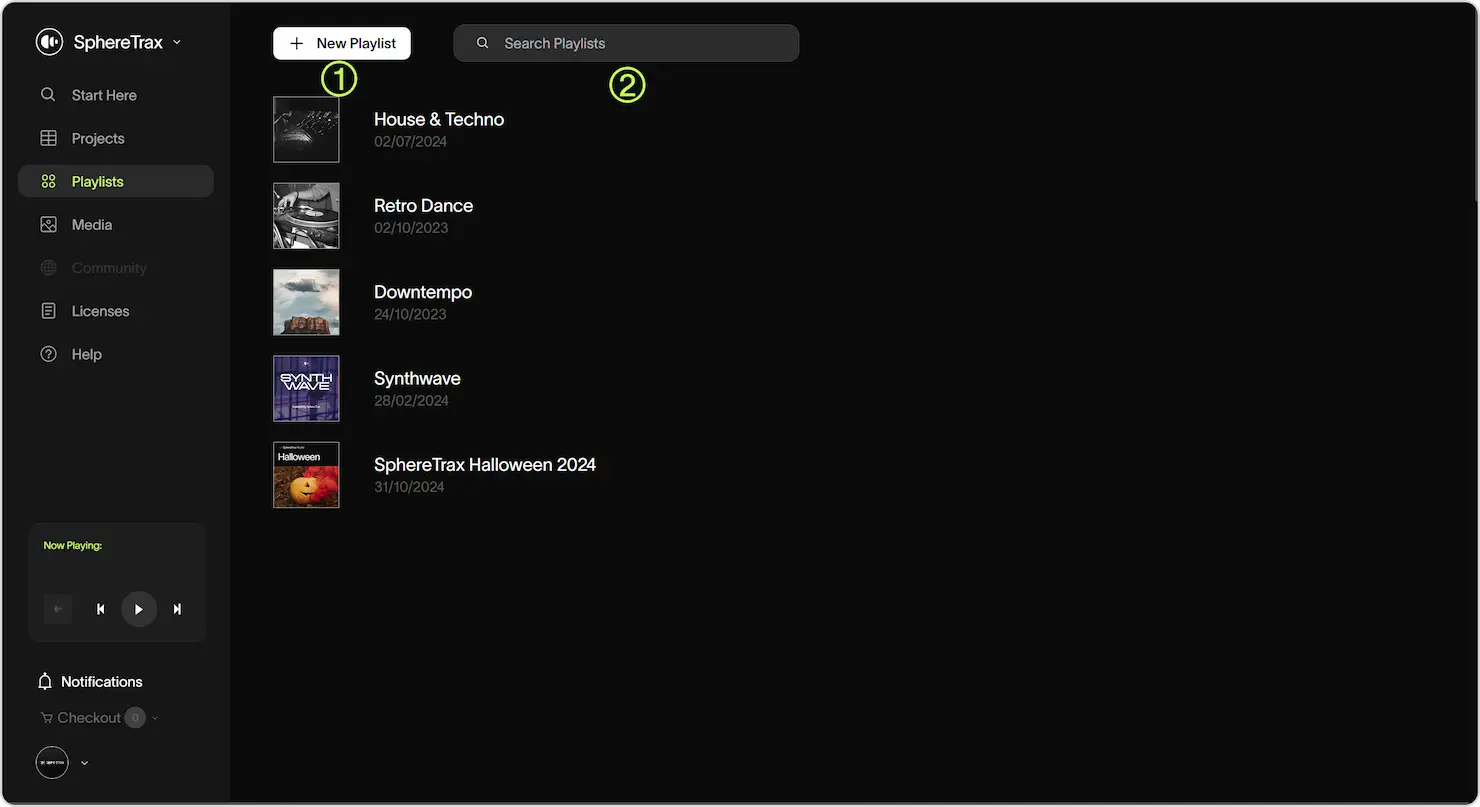
Playlists help you organise and share tracks for specific projects or themes.
Key Features
- Create Playlist: Click "New Playlist" to start a playlist. Add a name, and an option image, for easy organization.
- Search Playlists: Use the search bar to locate playlists by songs, artist, name or tags.
Playlist View
Key Features
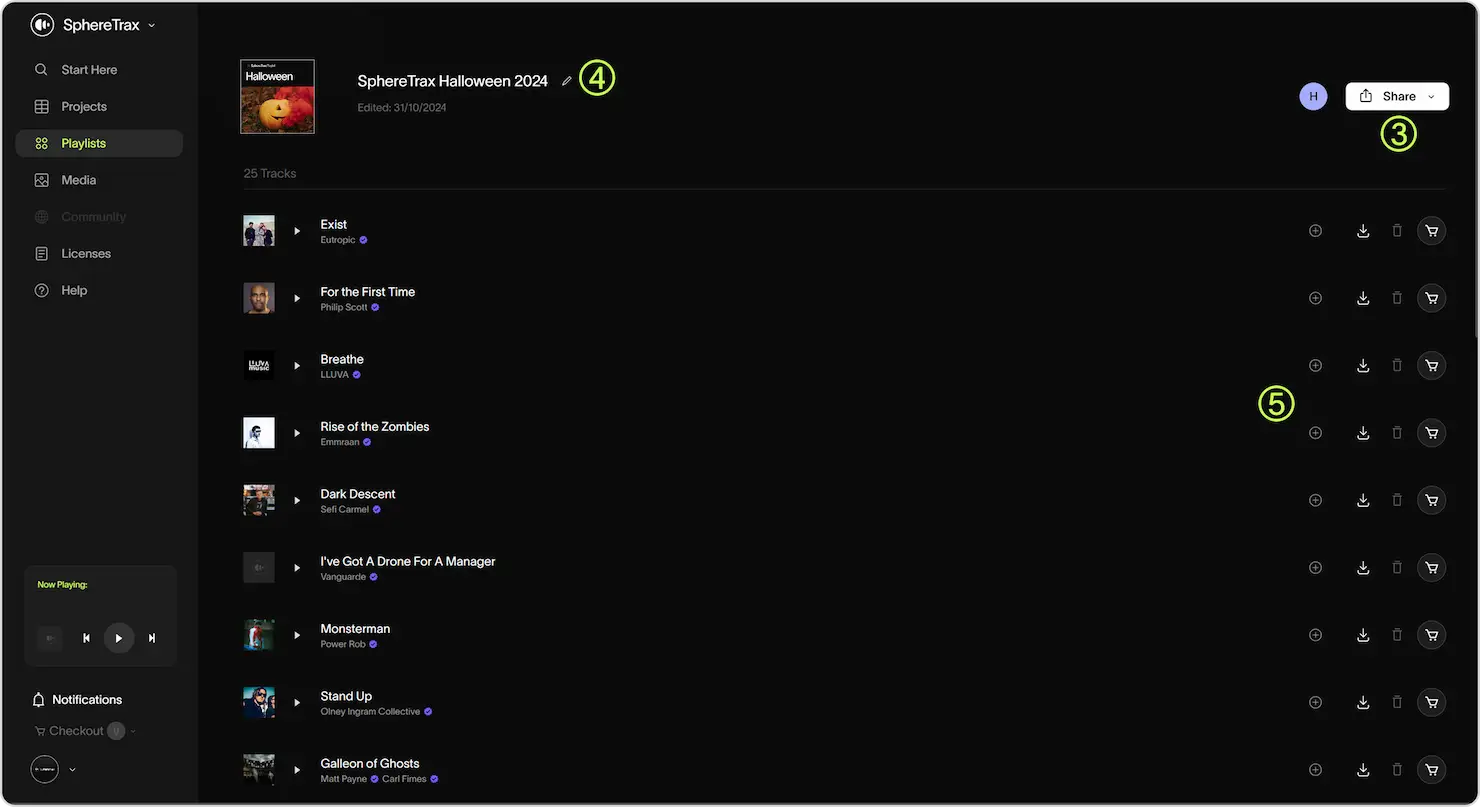
- Sharing: Generate a shareable link to collaborate on playlists with clients or team members.
- Edit: Change your playlist name and artwork here.
- Track Options: Add tracks to more playlists, download preview files, remove from playlist, and add to cart with these buttons.
Media
Key Features
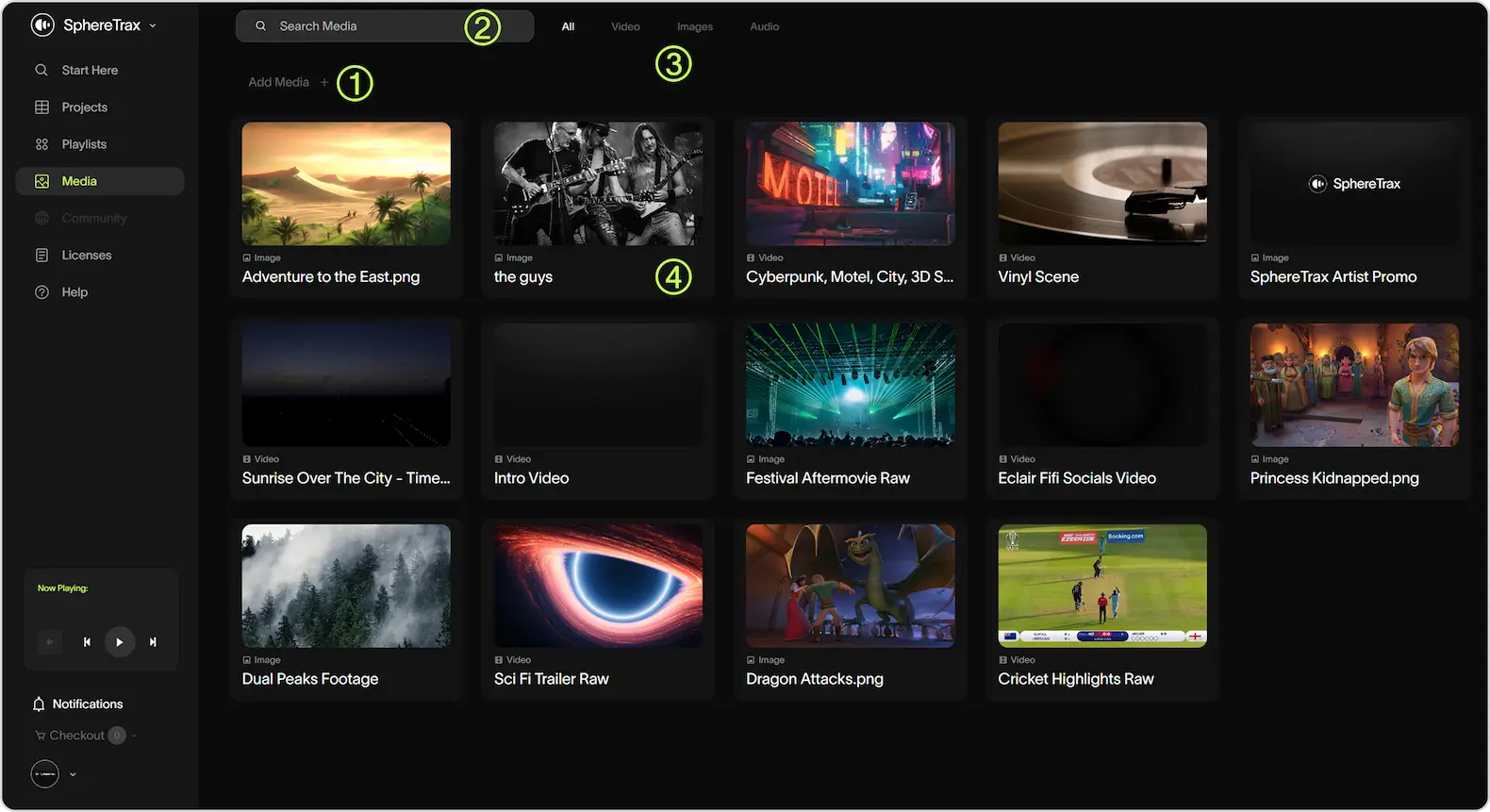
- Add Media: Upload files directly from your device. Supported formats include MP3/WAV for audio, MP4 for video, and JPEG/PNG for images.
- Search: Locate files using the search bar or filter by file type (Video, Images, Audio).
- Media Filter: Filter your media by file type; All, Video, Image and Audio.
- Rename/Delete: Use the buttons on each piece of media to rename or delete it.